
Can I shoot straight with you? If you’ve searched how to make my website load faster at 11pm while staring at a spinning loading icon, you already know something’s wrong. What you might not know is how much it’s costing you.
Site speed is the quiet leak in your entire marketing system: the website, the SEO, the ads, all of it. It doesn’t show up as a red warning banner. It shows up as leads that trickle instead of flow, and Google rankings that stall no matter how much content you publish. Most business owners find out their site is slow by accident, the same way one of our roofing clients did last year: staring at a Google PageSpeed Insights score of 34, wondering why the phone had gone quiet.
Here’s the good news. Learning how to make your website load faster usually doesn’t require a developer, a full rebuild, or a five-figure invoice. It requires knowing exactly what’s slow and fixing that specific thing. Let’s get into it.
The Real Problem: Why Slow Feels Invisible Until It Isn’t
Google has been explicit about this for years: page speed is a ranking factor, and it’s also a conversion factor, which is worse for you if you’re ignoring it. Google’s own Core Web Vitals set the bar at 2.5 seconds for Largest Contentful Paint (LCP), basically how fast the main content of your page shows up. Most small business sites we audit come in somewhere between 5 and 9 seconds. That’s not a rounding error. That’s the difference between a visitor who sticks around and one who’s already back on Google looking at your competitor.
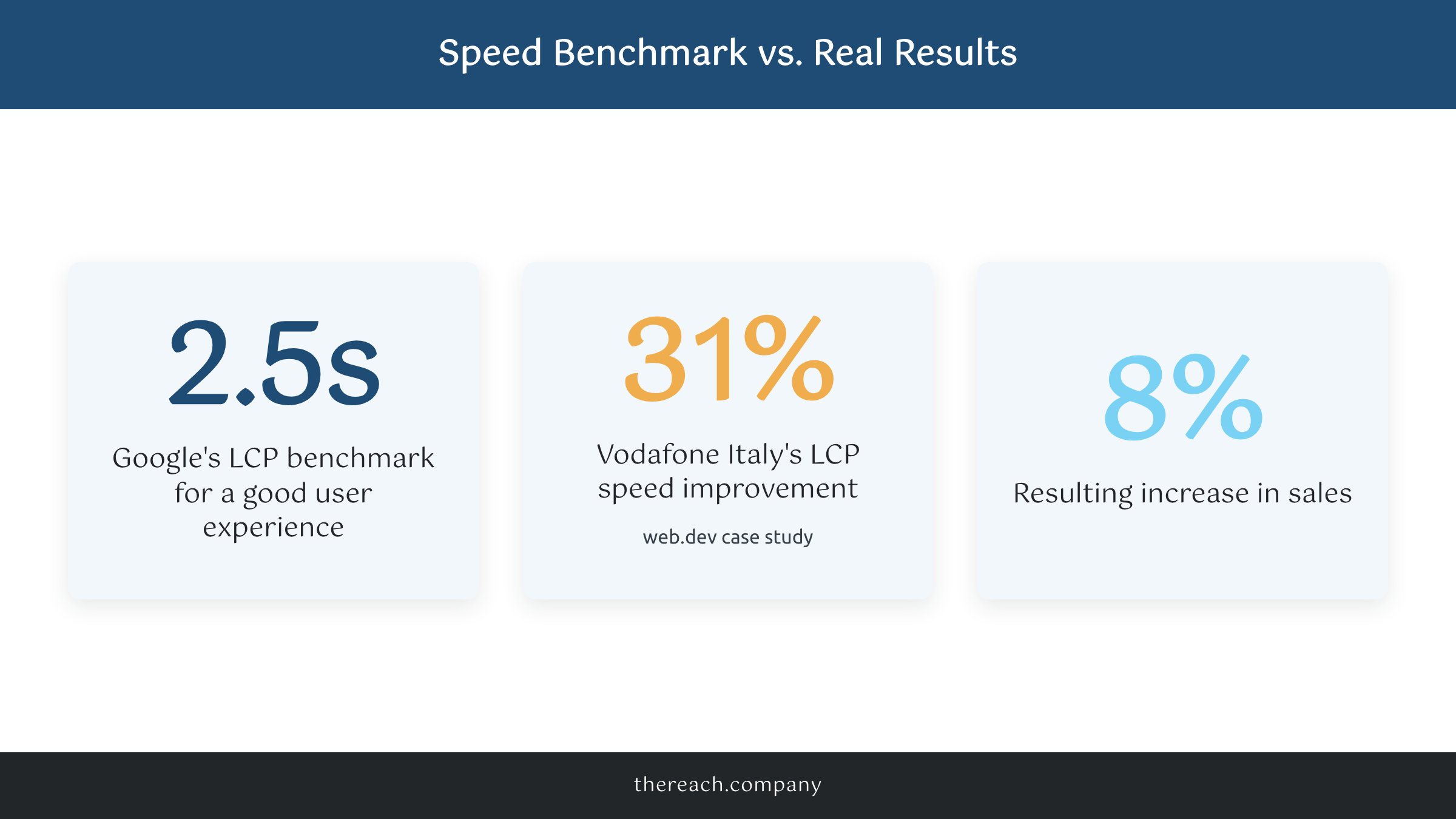
This isn’t theoretical. Google’s own web.dev case study on the business impact of Core Web Vitals found that Vodafone Italy improved their LCP by 31% and saw an 8% lift in sales, on a mobile carrier’s e-commerce site, not exactly a niche corner of the internet. If a company that size sees an 8% sales bump from a speed fix, imagine what a 4- or 5-second improvement does for a local business site that’s currently loading like it’s 2015.
And it’s not just visitors leaving. Slow sites get crawled less efficiently by Google and rank worse, which means the SEO work you’re paying for, or doing yourself, is fighting an uphill battle before a single keyword ever gets touched. If your site is slow, “why is my website so slow” isn’t just an annoyance question. It’s the reason your other marketing spend underperforms.
What’s Actually Making Your Site Slow
Nine times out of ten, it’s the same handful of culprits, and none of them require a developer to fix.
Unoptimized images. This is by far the most common one. A photo straight off an iPhone can be 4 to 8 MB. On the web, that same image should be under 200 KB. Tools like ShortPixel or Imagify compress images automatically, and most visitors never notice a visual difference. If you’re on WordPress, this is a five-minute plugin install, not a project.
No caching. Every time someone visits your site, the server rebuilds the page from scratch unless you tell it not to. A caching plugin like WP Rocket, what we install on every WordPress site we manage, serves a pre-built version instead. That one change alone can cut load time in half.
Cheap, oversold hosting. A lot of small business sites live on $4-a-month shared hosting, splitting server resources with hundreds of other sites. It really depends on your host, but if you’re on a basic shared plan from a big-box registrar, you’re fighting your hosting company before you even get to your own code.
Plugin and script bloat. Every chat widget, tracking pixel, and “just in case” plugin adds weight. We’ve opened client sites with 40-plus active plugins, half of them installed once and forgotten. Perfmatters is a tool we use to see exactly what’s loading on a page and delay or remove whatever isn’t earning its keep.
No CDN. A content delivery network like Cloudflare serves your site from a server physically closer to the visitor instead of one data center across the country. It’s often free, and it’s one of the most underused fixes in small business web hosting.
The Contrarian Truth: You Probably Don’t Need a New Website
Here’s the part most agencies won’t tell you: you probably don’t need a new website. You need your current one fixed.
We’ve had prospects come to us convinced they needed a full rebuild because their site “felt slow and outdated.” Nine times out of ten, felt slow just means it is slow, and the actual fix was caching, image compression, and a hosting upgrade, not a $6,000 to $10,000 redesign. A full rebuild might genuinely be the right call if your site is five-plus years old, built on a platform nobody supports anymore, or structurally incapable of converting visitors. But speed alone? That’s rarely a rebuild problem. It’s a maintenance problem nobody’s been doing.
It’s not that agencies are lying to you on purpose. It’s that properly diagnosing why is my website so slow takes more time than selling a rebuild, and a rebuild is the bigger invoice. Can I be honest? We’ve fallen into that trap too, early on. The right move is always to check the actual cause before you write a check for a new one.
Real Numbers From a Real Fix
One of our roofing clients came to us with a Google PageSpeed score in the 30s and a homepage that took 6.4 seconds to load on mobile. No rebuild. We installed WP Rocket, compressed every image on the site with ShortPixel, moved them off a $5-a-month shared host onto managed WordPress hosting, and turned on Cloudflare’s CDN.
Three weeks later: load time down to 1.9 seconds. Mobile PageSpeed score up from 34 to 81. Bounce rate on the homepage dropped by 22%, and form submissions from organic traffic went up the following month without a single word of copy changing. Same website. Same content. Same offer. The only thing that changed was how fast it showed up.
That’s the part that gets missed in most “website tips” listicles. Nobody was reading slower copy or looking at worse photos before. They were leaving before any of it ever loaded.
What to Do Instead
Start with a free tool: run your homepage through Google PageSpeed Insights or GTmetrix and write down your load time and score. That number is your baseline, and you’ll want it to compare against after each change.
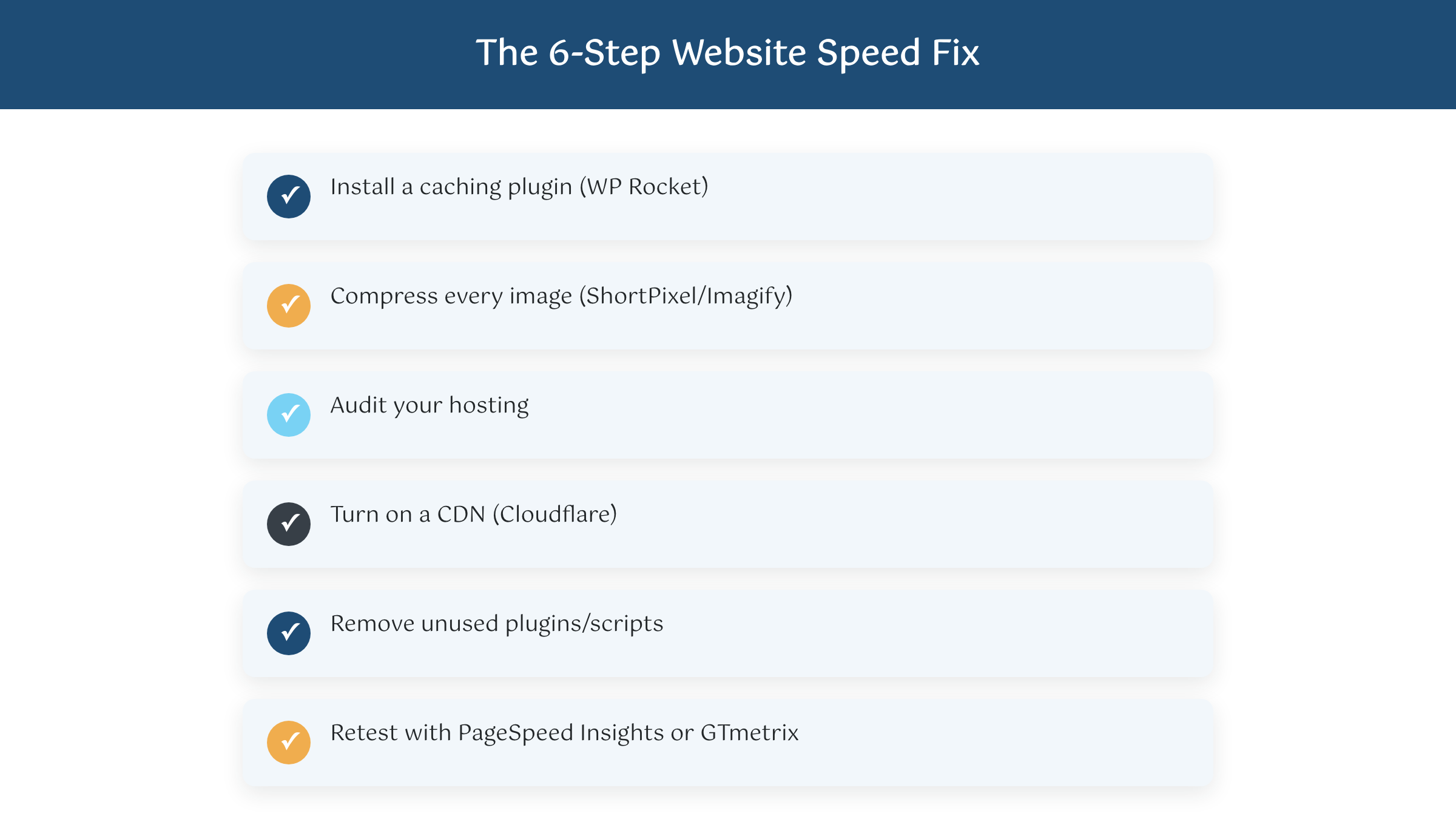
Then work the list in this order: install a caching plugin (WP Rocket if you’re on WordPress), compress every image on the site, audit your hosting (if you’re on a sub-$10-a-month shared plan, that’s usually your first upgrade), turn on a CDN like Cloudflare, and remove or delay any plugin or script you can’t explain the purpose of. Retest after each change instead of all at once. You’ll usually see the biggest jump right after images and caching. That short list really is the answer to how to make my website load faster for most small business sites we touch.
If you’ve done all of that and your site is still slow, or if it’s more than five years old, was built on a platform nobody supports anymore, or genuinely can’t be restructured without a rebuild, that’s the point where a real conversation about a new build makes sense. Our Custom Websites plans start at $299/mo and are built with speed handled from day one, not bolted on after the fact. But try the fixes above first. Most of the time, that’s all it takes.
You don’t need to become a developer to fix this. You need fifteen minutes with PageSpeed Insights and the willingness to actually act on what it tells you. If your site is already fast and you’re still not getting leads, that’s a different problem, and we’ve written about that one too. If your site is slow, start there before you spend a dollar on anything else. The finish line is a lot closer than it feels. Promise.

