
Here’s an uncomfortable truth: your website can be gorgeous, on-brand, and dialed in on messaging, and still look unfinished the second someone opens ten browser tabs. Why? Because their tab shows a plain gray page icon where your logo should be. That’s a favicon problem, and if you’re asking yourself what is a favicon right now, you’re not alone. Most business owners have never heard the word. Everyone notices when it’s missing anyway. It’s the digital equivalent of handing someone a business card with no logo on it: small, easy to overlook, impossible to unsee once you’ve spotted it.
What a favicon actually is. A favicon, short for “favorite icon,” is the tiny square image that shows up in a browser tab, in a bookmarks bar, and sometimes next to your listing in Google search results. It’s usually your logo shrunk down to a 16×16 or 32×32 pixel square. Google’s own Search Central documentation spells out the technical bar: your favicon has to be at least 8×8 pixels and square, though Google recommends sizing it larger than 48x48px so it holds up cleanly across search results, browser tabs, and bookmarks. It also has to load from a stable URL that Googlebot can actually crawl, same as any other asset on your site. Skip any of that and browsers fall back to a blank default icon, which is the gray square killing your polish.
Why it matters more than a 16-pixel square should. A missing favicon is one of those small, silent trust signals. Someone bookmarks your site, glances at their bookmarks bar a week later, and sees a blank page icon sitting next to a row of recognizable logos. It reads as “this site isn’t finished,” or worse, “nobody’s maintaining this.” We wrote about the bigger version of this pattern in 10 Signs You Need a New Website, and a missing favicon is exactly the kind of small tell that shows up alongside the bigger ones: broken plugins, a copyright year stuck in 2022, a contact form that quietly stopped sending. None of these single-handedly tanks your credibility. Stacked together, they tell a visitor everything they need to know about how closely you’re watching the store.
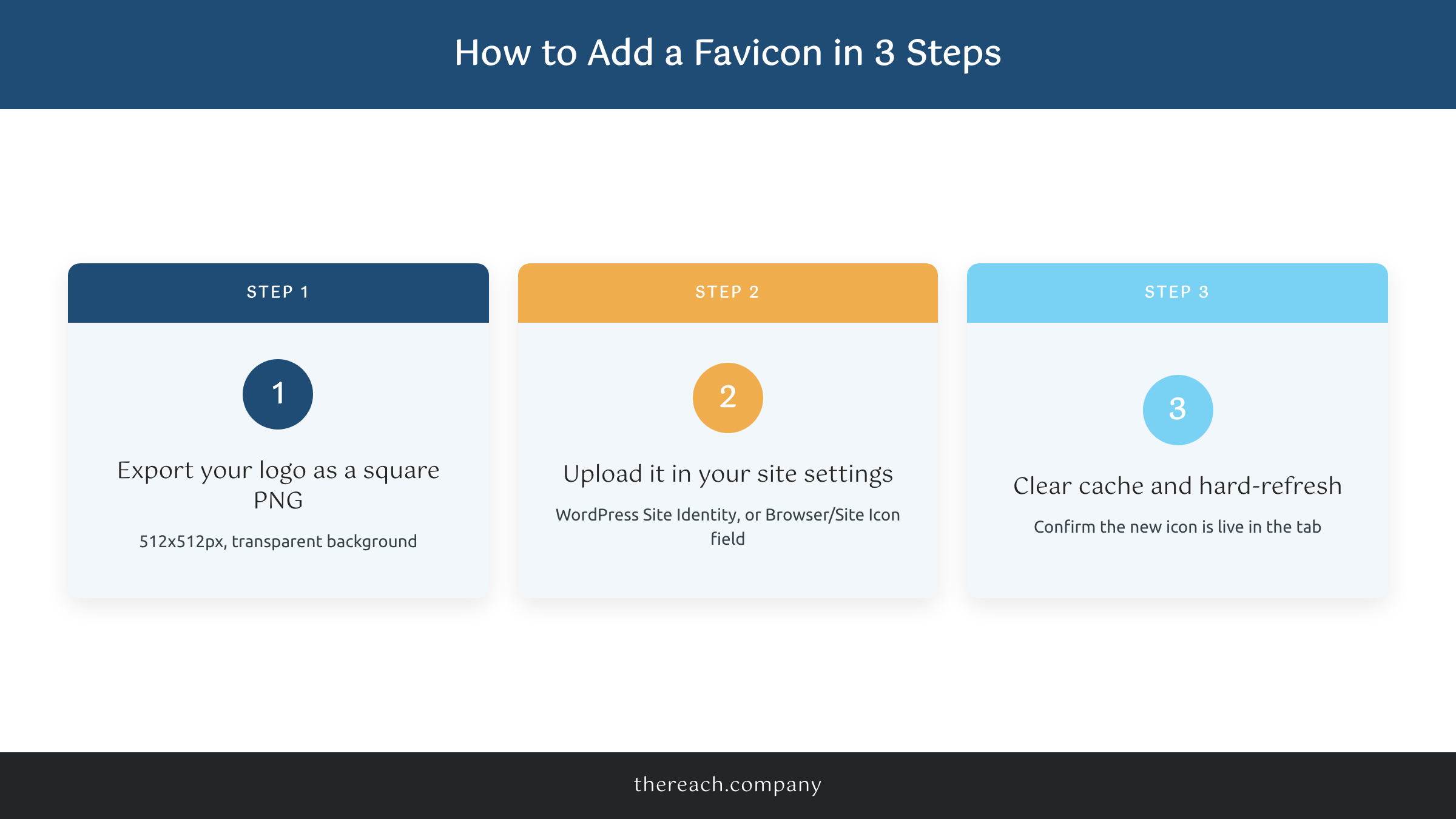
The fix takes less time than reading this post. If you’re on WordPress, export your logo as a square PNG (512x512px, transparent background works best), then upload it under Appearance, then Site Identity, or through an SEO plugin like Yoast or RankMath if you’ve already got one installed. Squarespace and Wix both have a dedicated favicon field in site settings, usually labeled “Browser Icon” or “Site Icon.” Whatever platform you’re on, drop any text that won’t read at 16 pixels, keep the image simple and high-contrast, upload it, clear your cache, and hard-refresh the tab.
A favicon alone won’t fix a website that isn’t converting. But it’s a five-minute signal that you sweat the details, and small trust signals add up fast when someone’s deciding whether to call you or the next name on the list. If you’re already wondering what else your site might be quietly telling visitors, that’s exactly the kind of gap we look for before we touch a single page of copy for a client.

