

Can I shoot straight with you? Most lists of the best marketing automation tools for small business are written by people getting paid for every click. You land on a post that promises honesty and get fourteen tools, each with a glowing review and an affiliate link tucked underneath. You buy three of them, actually use one, and feel a little dumb about the other two sitting in your bank statement.
You do not need fourteen tools. A service business with one to fifteen people needs a handful, and most of them overlap with software you may already pay for. The job of marketing automation is simple: stop leads from falling through the cracks while you are on a job site, in a chair, or asleep. That is the whole point.
This is the vendor-neutral version. I run an agency, we set these systems up for clients every week, and I am going to tell you what each tool actually does, which ones earn their monthly fee, and where owners quietly overspend. No magic. Just the short list.
What Marketing Automation Actually Means (For a Business Like Yours)
Forget the enterprise version of this phrase. When a software company says “marketing automation,” they picture a twelve-step email drip with branching logic and a full-time person to run it. You do not need that, and chasing it is how owners end up paralyzed.
For a service business, automation means three boring, money-making things. A lead fills out your form or texts you, and they get an instant reply instead of waiting two hours. A job wraps up, and a review request goes out without you remembering to send it. A lead goes cold, and a follow-up nudge brings them back without you digging through a notebook of names.
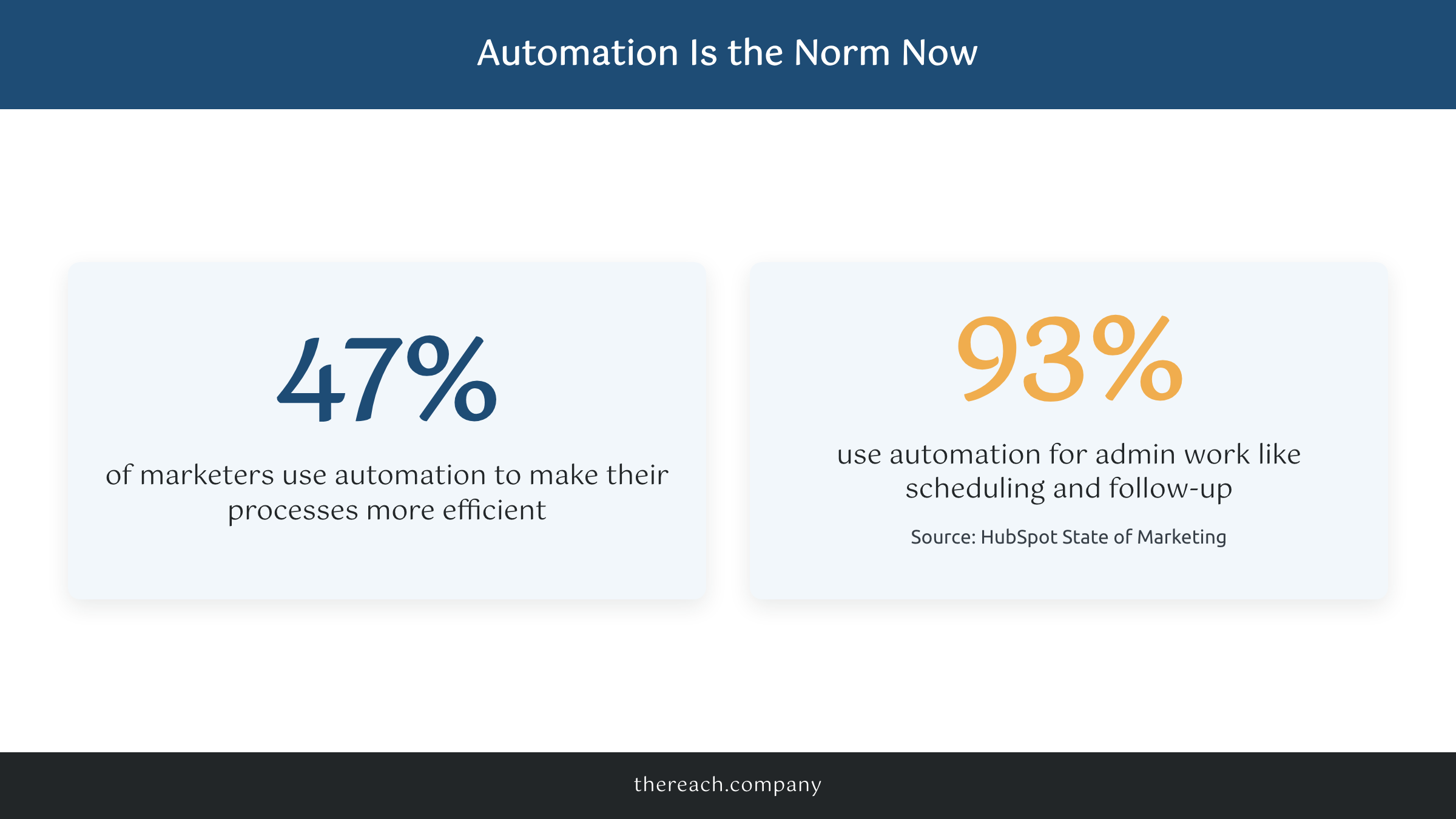
Plain and simple: automation is the assistant you cannot afford to hire yet. It does the repetitive stuff you keep meaning to do and never get to. According to HubSpot’s marketing data, 93% of marketers now lean on automation for administrative work like scheduling and follow-up. The big companies already run this way. The good news is the tools that do it are cheap and built for businesses like yours too.
The Jobs Worth Automating (Start Here, Not With the Tools)
Here is the rub. Owners buy the tool before they know the job. Then they have a $200-a-month platform and no clue what to put in it, so it sits there like a gym membership in February.
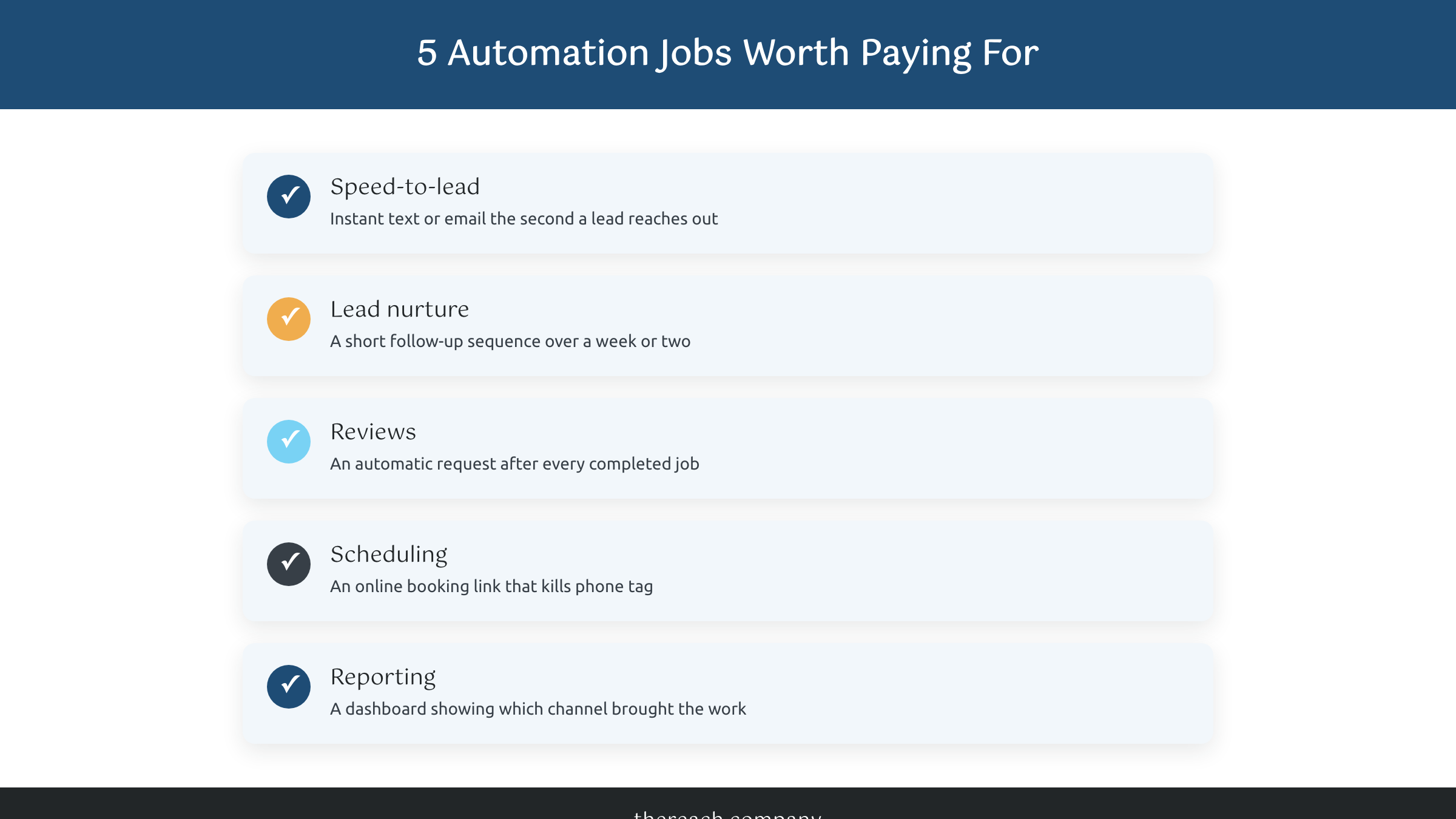
Pick the job first. For almost every service business, the jobs that pay for themselves are the same five. Speed-to-lead: an instant text or email the second someone reaches out. Lead nurture: a short sequence that follows up over a week or two so warm leads do not go cold. Reviews: an automatic request after every completed job, because your reputation is what gets you the next call. Appointment booking: a link that lets people schedule without the back-and-forth phone tag. Reporting: a simple dashboard so you know which channel actually brought the work.
Nail those five and you have covered most of what marketing automation does for a small business. Everything else is a nice-to-have you can add later, once the basics are humming.
The Tools That Actually Earn Their Keep
Now the tools. I am going to group them by how a real business buys, not by who pays the biggest affiliate commission.
All-in-one platforms. This is where most service businesses should start. One login that handles your CRM, follow-up texts and emails, web chat, review requests, and scheduling. We run GoHighLevel for every client at The Reach Company, and we white-label it at $299 a month with everything customized to the business. If you want the full breakdown, here is what GoHighLevel actually is in plain English. HubSpot has a free tier and a much steeper paid one. Keap and ActiveCampaign live in the same lane. The pitch is the same across all of them: stop stitching five tools together and run the whole follow-up from one place.
Email and SMS only. If you genuinely only need email right now, Mailchimp, ConvertKit, and MailerLite do the job for $20 to $50 a month. Honest take: most service businesses outgrow these the moment they want texting and a real pipeline, so do not be surprised when you start eyeing an all-in-one a few months in.
The connective tissue. Zapier or Make link tools that do not talk to each other on their own. They are worth it when you already have a stack you like and you just need the pieces to flow, like pushing a new lead into your CRM and firing a text automatically.
Call tracking. CallRail tells you which ad, page, or keyword made the phone ring. If you spend anything on Google Ads, this one pays for itself fast because it ends the guessing about what is working.
Scheduling. Calendly, or the booking tool built into your all-in-one. Cheap, simple, and it kills phone tag for good.
Where Most Owners Overspend
Can I be honest? The overspending is almost always the same three mistakes, and I have watched all three happen up close.
One, stacking overlapping tools. You pay for Mailchimp, then Calendly, then a separate CRM, then a review tool, then Zapier to glue it all together. That is five bills and five logins doing what one platform does for less. Add it up and it is often $400 or more a month for a clunkier experience than a single $299 hub would give you.
Two, buying the enterprise tier you will never touch. The jump from a starter plan to the “pro” plan usually unlocks features built for a fifty-person marketing team. You are not that team. Stay on the tier that fits where you are and upgrade the day you actually hit a wall, not before.
Three, buying before you have a process. A tool does not create a follow-up system. It runs the one you hand it. If you do not know what your speed-to-lead text says or how many times you follow up, no software fixes that for you. Write the process down first, then automate it.
What It Looks Like When It Actually Works
Numbers make this real. One of our clients, a medspa, pulled 1,928 leads from their website in a single year. That does not happen because someone manually answered every form at 11 p.m. It happens because the system replied instantly, nurtured the warm ones, and asked happy clients for reviews on autopilot while the owner ran the business.
Speed is the whole game. A lead that gets a reply in five minutes is far more likely to book than one that waits an hour, and most of your competitors are still waiting that hour. The tool that wins is not the fanciest one with the longest feature list. It is the one that fires the instant a lead comes in, every single time, while you are doing the work you are actually great at.
How to Actually Choose (and What to Do Next)
Before you shop tools, it helps to know how a CRM and marketing automation actually differ, since a lot of the platforms below blur that line on purpose.
So which of the best marketing automation tools for small business is right for you? It really depends on where you are starting from.
If you are climbing out of spreadsheet chaos and sticky notes, get one all-in-one platform and stop there. One bill, one login, one place every lead lives. If you already have a stack that works and you like it, do not rip it out for the sake of it. Add call tracking and a connective tool to make the pieces flow, and leave the rest alone.
Either way, write your process before you swipe the card. Those five jobs from earlier are your checklist. And if you would rather have this built for you than figure it out at 11 p.m., that is exactly what our lead generation system does: the platform, the automations, and the follow-up, set up and managed so leads stop slipping through.
You do not need fourteen tools. You need a handful that fire every time. The finish line is a lot closer than it feels. Promise.

