

Somewhere on your credit card statement there’s a quiet little pile of AI subscriptions billing you $300 to $400 a month. A writing tool. A chatbot. A scheduler with “AI-powered” in the tagline. A video editor you used twice in March. Each one felt smart when you signed up. Most were only $20 to $50, so none of them ever triggered the “should we really be spending this” alarm.
Can I shoot straight with you? AI for online business is worth real money. The right tools will hand you back hours every single week, and I say that as someone who uses AI every single day and loves it. But the way most owners buy AI, one impulse subscription at a time every time a launch video goes viral, guarantees bloat. You end up paying four tools to do two jobs.
This is not an anti-AI post. It’s an audit. Here’s what’s worth keeping, what’s duplicate weight, and the 15-minute process to sort yours out.
Why Your AI Stack Got Bloated in the First Place
It’s not because you’re careless. It’s because the market is built for bloat.
Every AI tool demos beautifully. Every landing page shows you the one thing it does best. And at $29 a month, the cost of saying yes feels like nothing. So you say yes in January, again in March, again in June. Nobody ever goes back and asks what the January tool is still doing.
You’re not alone in this. HubSpot surveyed over 1,000 marketing professionals and 35% said there are too many AI tools that all do the same thing but don’t connect to one another. That’s the vendors’ problem showing up on your credit card.
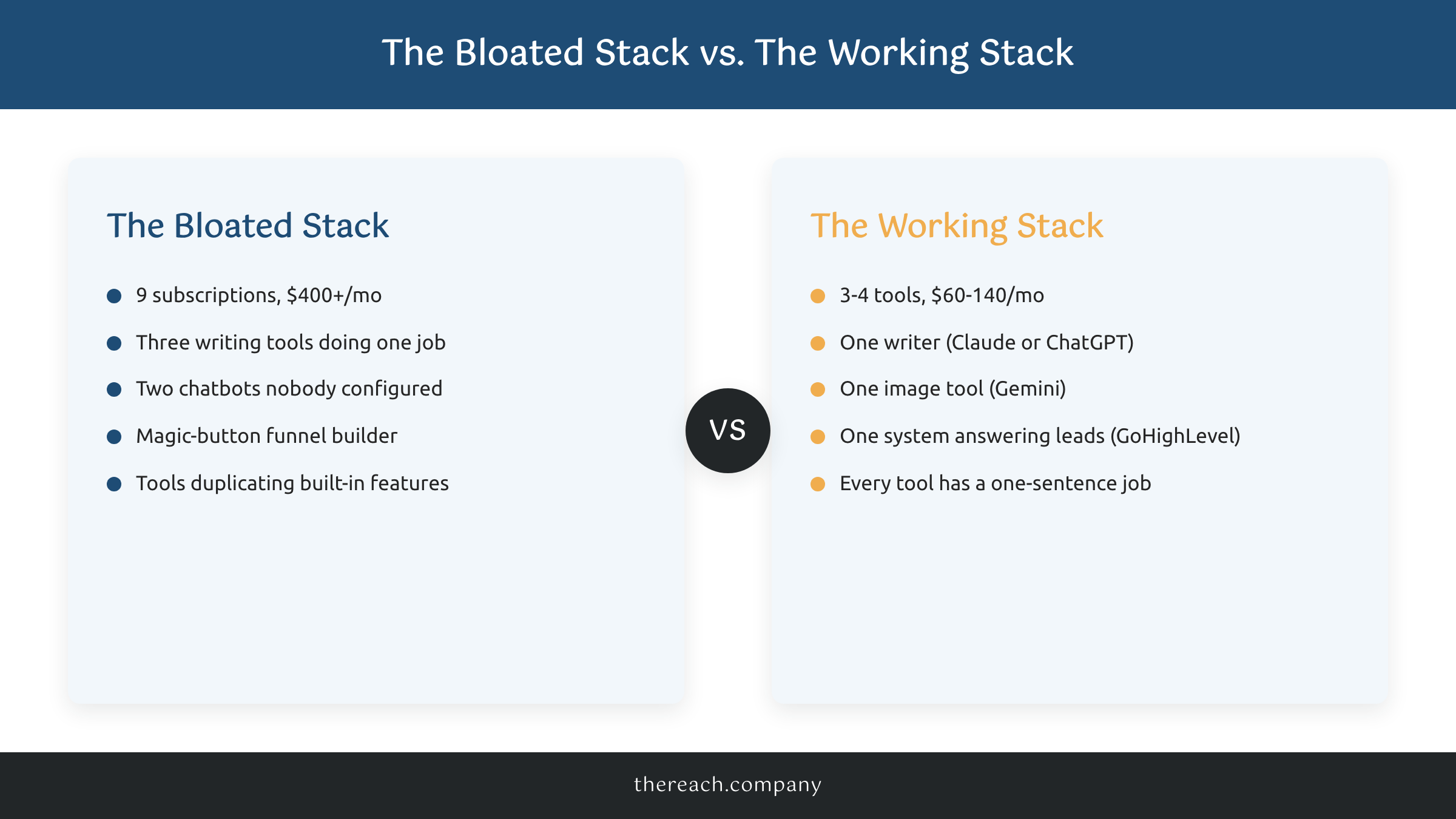
Here’s the part most people miss: the overlap isn’t an accident. Most AI writing tools are wrappers around the same handful of underlying models. When you pay for three different “AI writers,” you’re often paying three subscription fees for one brain wearing three costumes. The tools aren’t bad. They’re duplicates.
The Four Jobs Worth Paying AI to Do
Stop buying tools. Start assigning jobs. AI for online business earns its keep in exactly four places:
Job 1: Answering leads and customers fast. The person asking about your course, your coaching program, or your service at 11pm is ready to buy at 11pm. AI chat that answers real questions and books the call, plus automatic follow-up when someone goes quiet, is the only AI category that directly makes you money. This is the first job to fill and the last one to cancel.
Job 2: First drafts of everything you write. Claude or ChatGPT at $20 a month covers emails, sales pages, course outlines, and social posts. Not final copy. First drafts you edit into your own voice. One subscription does this job, not three. If you’re a consultant, we broke down the exact 4-app stack we recommend for consultants and it’s deliberately short.
Job 3: Images and simple creative. Gemini at $20 a month, or the generator already built into the design tool you use, handles course graphics, ad variations, and blog images. One image tool. That’s plenty.
Job 4: Meeting notes and repetitive admin. Worth paying for if it saves an hour a week. But check what you already own first, because Zoom, Notion, and most CRMs shipped this as a built-in feature over the last two years.
Fill all four jobs well and you’re at roughly $60 to $140 a month, total. Everything beyond that needs to justify itself, out loud, in one sentence.
The Bloat Test: If Two Tools Share a Job, One Goes
Here’s the rub. The problem is almost never one obviously terrible subscription. It’s three decent tools splitting two jobs.
Bloat shows up in three patterns:
Duplicates. Two or more writing tools. Two chatbots. Two “AI assistants.” Same job, multiple invoices. Keep the one you actually open every week and cancel the rest.
Magic buttons. Tools that promise AI will build your whole funnel, run your whole marketing, or grow your whole business while you sleep. The technology inside these tools is usually fine. The promise wrapped around them is the problem, because a funnel with no strategy and no follow-up behind it is a $79-a-month decoration. Critique the hype, keep the tech.
Features you already own. A standalone subject line writer when your email platform added one for free. A standalone transcription tool when Zoom does it out of the box. AI features are being folded into software you already pay for at a ridiculous pace, and every one of them quietly makes some standalone tool redundant.
Then adopt the one rule that keeps your stack clean forever: one in, two out. A new AI tool only earns a spot if it takes over the jobs of two existing tools, or does a job nothing else on your list is doing. That single rule ends impulse subscriptions, because most new tools can’t pass it.
What This Looks Like in a Real Business
Our own stack at The Reach Company is boring on purpose. Claude writes first drafts of everything, including most of this blog. Gemini makes our images. And the lead generation system we build on GoHighLevel answers and follows up with leads automatically, for us and for our clients, at $299 a month.
That last job is where the money shows up. One of our clients, a medspa in Atlanta, pulled 1,928 leads through their website in a single year. Every one of those leads got an instant answer and automatic follow-up, nights and weekends included. Nobody sat by the inbox. That’s what AI looks like when it’s assigned a job that makes money instead of a job that makes you feel modern.
Notice what’s not in the stack: no duplicate writers, no magic buttons, no standalone tools doing what a built-in feature already covers. Three tools, four jobs, done.
The 15-Minute AI Stack Audit
Grab your last credit card statement and do this today:
- List every AI subscription and its price. Include the annual plans you forgot about. Most owners land somewhere between $250 and $450 a month and are genuinely surprised.
- Write each tool’s job in one sentence. “Claude drafts my emails and course content.” If you can’t finish the sentence without saying “it’s really cool,” cancel it.
- Group tools by job. Anywhere two tools share a sentence, keep the one you opened most recently and cancel the other. This step alone usually saves $100 or more a month.
- Apply one in, two out from now on. A new tool wants in? It replaces two, or it waits.
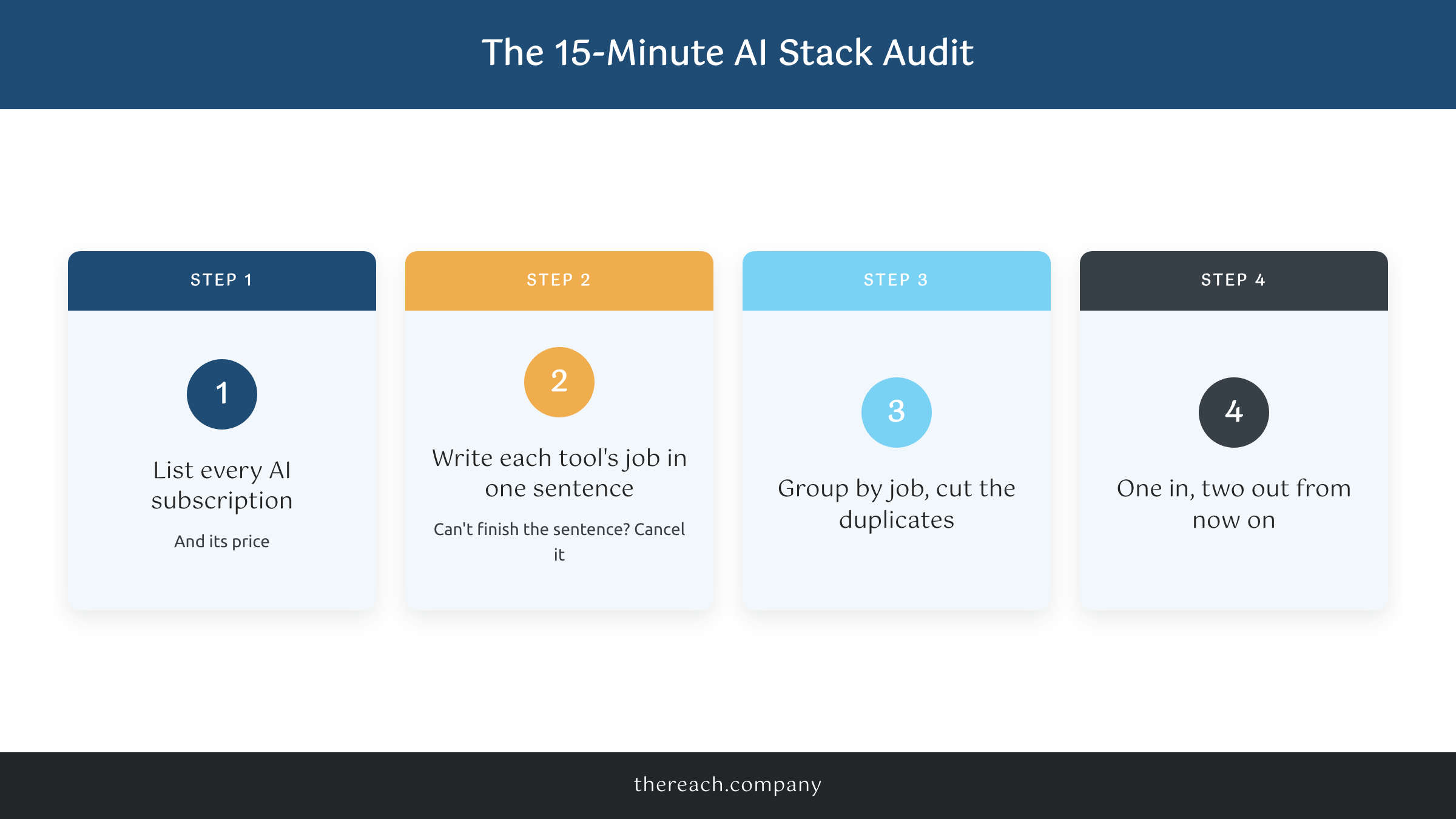
That’s it. Fifteen minutes, and AI for online business goes from a pile of subscriptions back to what it should be: a short list of tools that each do a job you can name.
And if Job 1 is the one you’ve never actually filled, the answering-leads-while-you-sleep job, that’s exactly what we build for people. It really depends on your business what the rest of the stack should look like. That first job is universal. You got this. And if you want a hand with it, we got you too.

