

Can I shoot straight with you? Most advice on how to reduce Google Ads cost is a recipe for killing your own lead flow right along with your bill. The internet’s answer is almost always the same: lower your daily budget, pause a few keywords, walk away. Your bill drops. So does your phone ringing.
Here’s the rub. Cost and leads aren’t opposites you have to trade off. There’s an order of operations that actually lowers your cost per lead while your lead volume holds, or climbs. We run ad accounts for a living at The Reach Company, and the order we work through with every client is the same every time: search terms first, then match types, then schedule, and only then the landing page. Skip that order and you’re not saving money. You’re just buying fewer leads at the same lousy price.
Let’s get into it.
The Real Problem With “Just Lower Your Budget”
Say you’re running a $3,000/mo Google Ads campaign at an $85 cost per lead. Someone (an agency, a well-meaning friend, a “how to cut ad spend” listicle) tells you to slash the budget to $1,500/mo. Your bill drops by half. But your account is still bidding on the same keywords, in the same match types, on the same schedule, sending clicks to the same landing page. Your cost per lead stays at $85. You just bought half as many leads for the privilege of feeling like you did something.
That’s the trap, and it’s the reason most attempts to reduce Google Ads cost end up reducing lead volume instead. Budget is the last dial to touch, not the first, because it doesn’t fix anything. It just turns the volume down on whatever’s already happening, good or bad. If your account is wasting money, a smaller budget wastes money slower. It doesn’t stop wasting it.
Start With the Search Terms Report (Not the Budget)
Before you touch a single bid, open your Search Terms report inside Google Ads. This is the list of the actual, literal searches that triggered your ad to show, which is not the same as the keywords you told the account to bid on. Broad and phrase match especially will pull in searches you never intended to pay for.
We regularly find accounts spending 20% or more of their monthly budget on searches that were never going to convert: someone researching a DIY version of the service, someone in the wrong city, someone job-hunting for the industry instead of hiring for it. Every one of those clicks costs the same as a click from someone ready to book. Building out a negative keyword list from the Search Terms report is the single fastest way to reduce Google Ads cost without touching a bid or a budget.
Google’s own guidance backs this up directly. In its official documentation on negative keywords, Google states that “better targeting can put your ad in front of interested users and increase your return on investment (ROI).” That’s the whole mechanism in one sentence: tighter targeting doesn’t just save money, it raises ROI, because the clicks you keep paying for are the ones more likely to convert. We already broke down whether Google Ads is worth it for a small business in the first place, and this is exactly the kind of account hygiene that decides which side of that answer you land on.
Tighten Your Match Types Before You Touch Anything Else
Once your negative keyword list is doing its job, look at match types. Broad match casts the widest net and spends the fastest, because Google has the most room to interpret what you meant. Phrase match and exact match give you less reach but far more control over exactly which searches trigger your ad.
Moving your core, highest-intent terms to phrase or exact match doesn’t shrink your lead volume the way a budget cut does. It shrinks your wasted spend. An account that’s been running mostly broad match for months is commonly bleeding 20 to 30 percent of its budget on searches that are close enough to be triggered, but not close enough to convert. Tightening match types on your best-performing terms is step two, and it should happen before you touch the daily budget at all.
The Schedule Nobody Checks
Buried in Google Ads under Settings is Ad Schedule, sometimes called dayparting, and almost nobody looks at it. It lets you raise, lower, or completely pause your bids by day of week and hour of day.
If you’re a plumber who gets calls between 8am and 6pm, running full bids at 2am isn’t reaching a customer, it’s donating money to Google for an impression nobody’s going to act on for six hours, if at all. Pull your Ad Schedule report and look for the hours that are burning spend with zero conversions. Cutting bids during those windows protects your budget for the hours that are actually converting, without touching your headline daily budget number at all.
The Contrarian Truth: Your Landing Page Is the Last Lever, Not the First
Here’s the part most agencies get backwards. A landing page redesign is often the first thing proposed when ad costs feel too high, because it’s visible, it’s billable, and it feels like “doing something.” But a beautiful new landing page sitting behind a messy account still pays full, wasteful price for every click before that click ever reaches the page.
Landing page relevance matters. It really does affect how many of your clicks turn into leads. But it’s step four, not step one, because fixing conversion rate on expensive, poorly-targeted traffic is fixing the wrong end of the problem first. Clean the account, then fix the page. In that order, the page fix compounds on top of savings you’ve already banked. In the wrong order, you’re just polishing the exit while the front door is still wide open.
Proof: What This Order Actually Looks Like for a Client
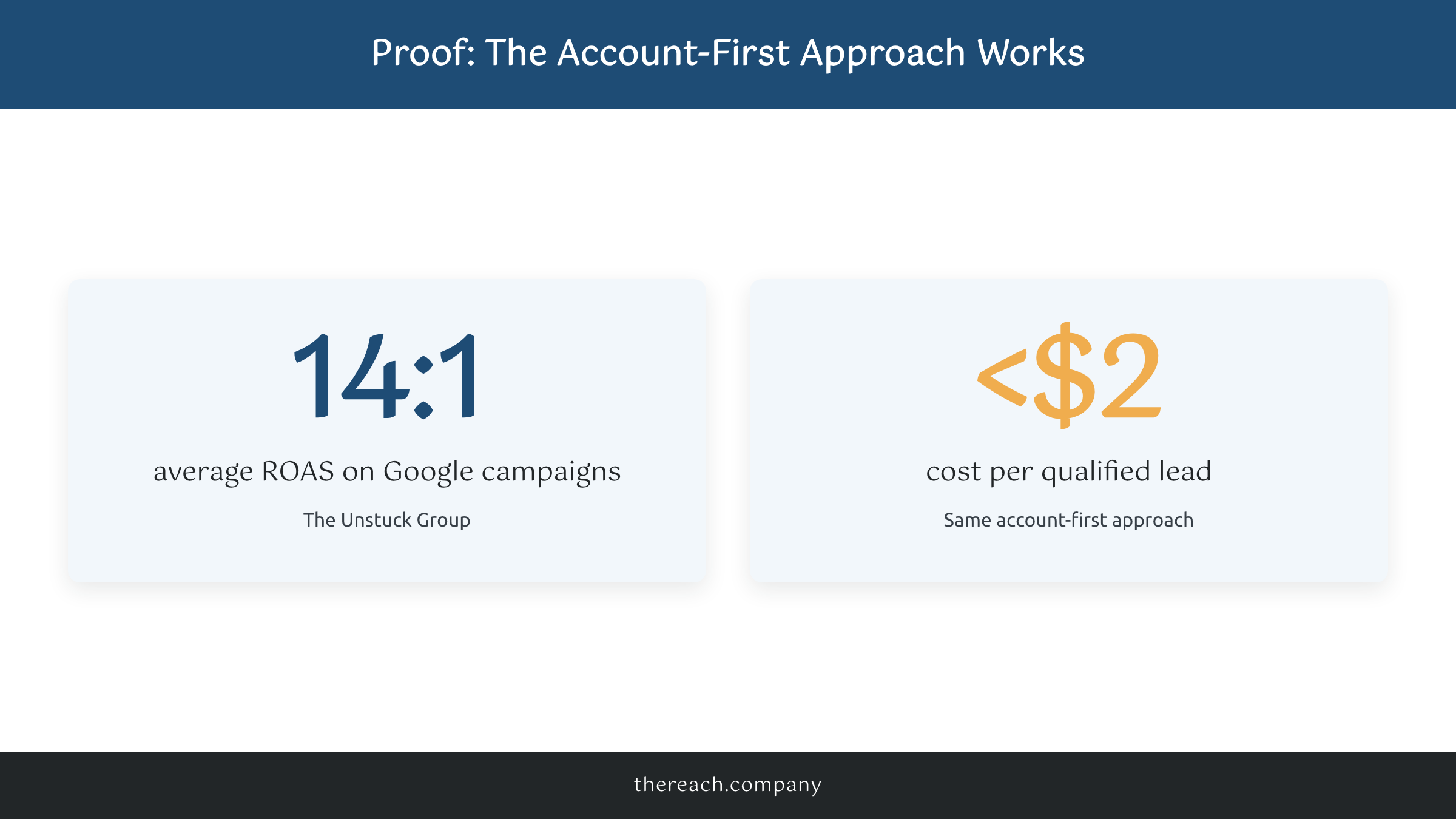
We ran The Unstuck Group’s Google and Facebook campaigns through exactly this sequence, account hygiene first, budget and creative second. The result was a 14:1 average return on ad spend on their Google campaigns, and under $2 cost per qualified lead on the connected Facebook account. Those aren’t projected numbers. That’s what happened when the order got followed instead of skipped.
Can I be honest? Every account is a little different, and results always depend on the industry, the offer, and how competitive the keywords are. It really depends. But the sequence itself, search terms, match types, schedule, landing page, holds up across every account type we’ve run it on.
What to Do Instead (The Order That Actually Works)
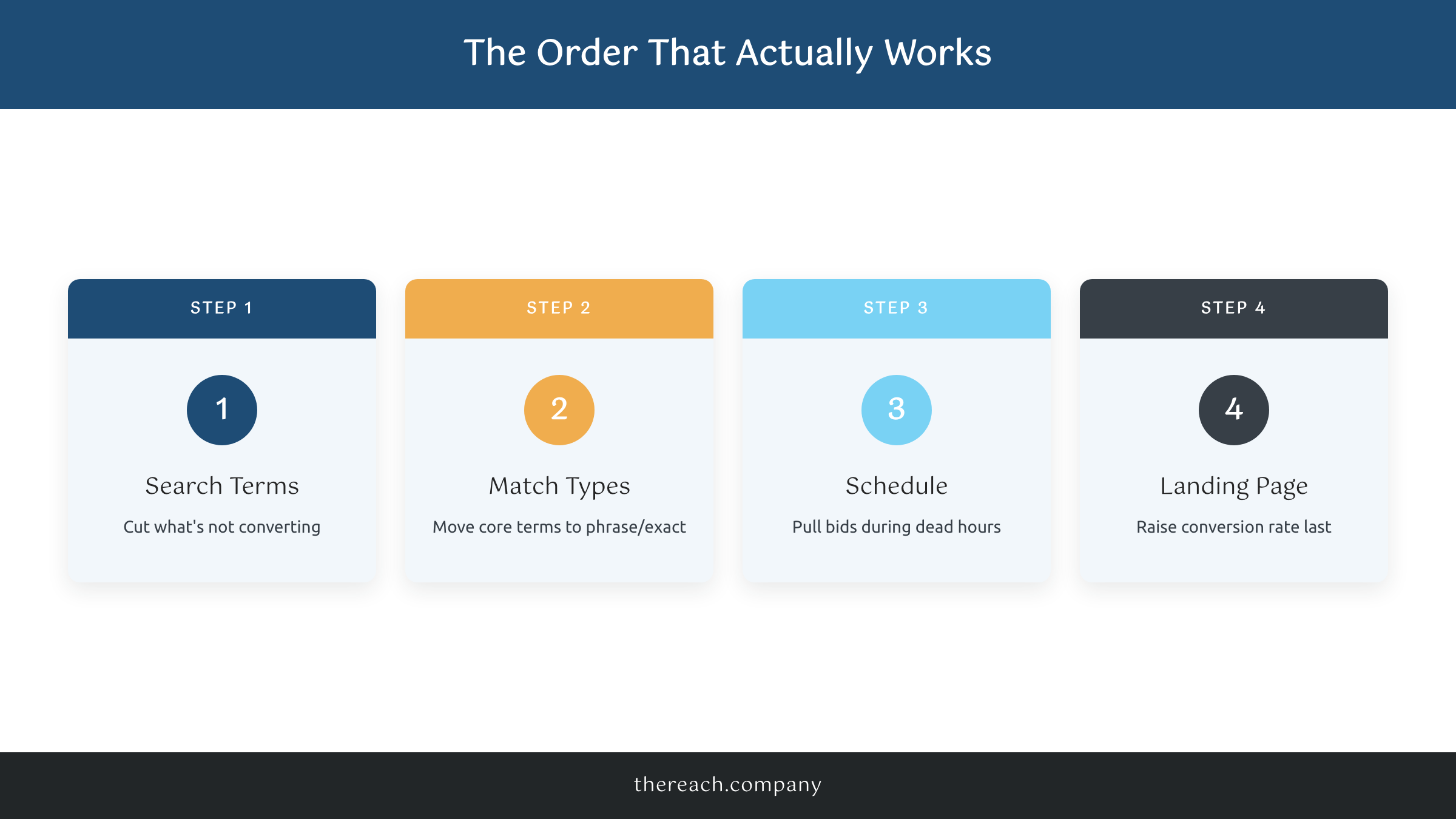
If you only take one thing from this post on how to reduce Google Ads cost, take the order. Search terms first. Match types second. Schedule third. Landing page last. Work through it in that sequence before you ever touch your daily budget, and you’ll find your cost per lead drops while your lead volume holds steady, sometimes even climbs.
If you’d rather have someone run this playbook on your account every week instead of doing it yourself, that’s literally what we do. Our ad management starts at $500/mo per campaign, no setup fees, and it’s the same search-terms-first process on every account we manage, whether it’s Google, Facebook, or TikTok.
You got this. And if you’d rather not do it alone, we got you too.

