
You pulled up your phone, typed your service and your city into Google, and scrolled. And scrolled. Your competitors are right there in the little map with the three listings. You are nowhere. If you have ever asked why is my Google Business Profile not showing up, you are not imagining it, and you are not alone.
Here is why it matters so much. For a local service business, your Google Business Profile decides who calls before anyone ever sees your website. That map pack, the three businesses with the stars and the little map, is where the phone calls come from. If you are not on it, a homeowner with a burst pipe is calling one of the three contractors who are, not you.
The good news: most of the reasons a profile goes missing are fixable, and none of them require a secret. Let’s walk through how Google decides who shows up, the common reasons yours isn’t, and exactly how to get back on the board.
How Google Decides Who Shows Up
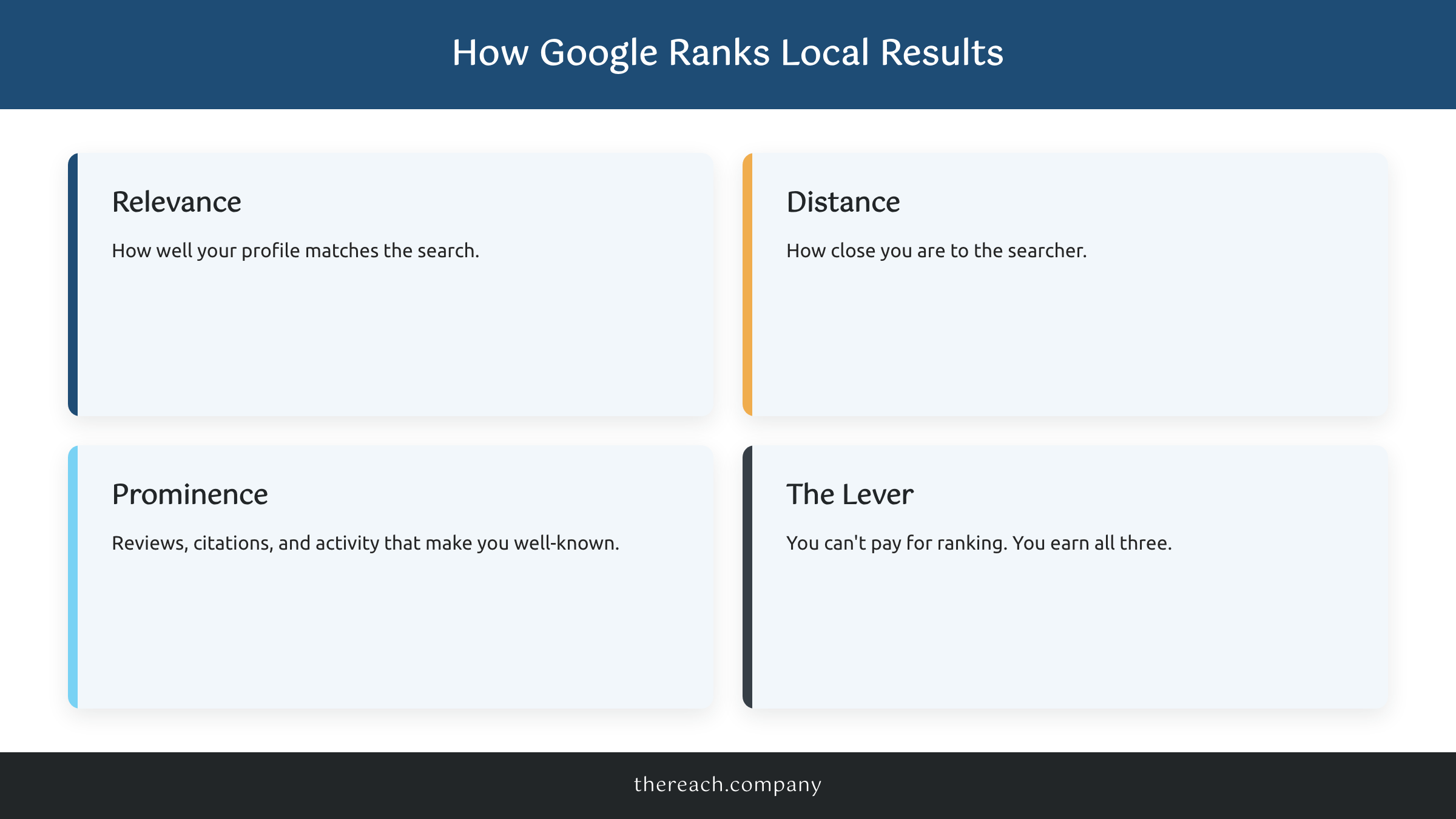
Before you fix anything, you need to know what Google is actually grading. Google says local results are ranked on three things: relevance, distance, and prominence, and Google’s own Business Profile Help spells it out directly.
Relevance is how well your profile matches what someone typed. A profile that lists every service you offer, with the right primary category, matches more searches.
Distance is how far you are from the person searching. Google shows results near the searcher, which is why you can rank great from your own shop and vanish three towns over.
Prominence is how known and trusted you are: reviews, mentions and citations across the web, links, and overall activity. A profile with 200 real reviews and weekly photos looks more prominent than one that has been silent for a year.
Here is the part that frustrates people, and the part that should reassure you: there is no way to pay Google for a better local ranking. You cannot buy your way into the map pack. So the businesses beating you are not paying a secret fee. They just have a more complete, more active, more trusted profile. That you can match.
The Most Common Reasons Yours Isn’t Showing Up
If you are wondering why is my Google Business Profile not showing up, the answer is almost always one of these.
It’s not verified. An unverified profile often will not appear at all. If you never finished the postcard, video, or phone verification, that is reason number one, and the easiest to miss.
It got suspended. Google suspends profiles for guideline violations: stuffing keywords into your business name, using a virtual office address, or making sudden sweeping edits. A suspended profile drops off the map entirely until you appeal and get reinstated.
Your profile is thin. Missing hours, no description, two photos, no services listed. Google has almost nothing to match a search against, so it does not show you.
Wrong primary category. Your primary category is the single heaviest relevance signal you control. A business set as “general contractor” that should be a “roofing contractor” will lose nearly every roofing search in town.
Duplicate listings. Two profiles for the same business split your reviews and signals and confuse Google about which is real. One usually gets buried.
Inconsistent NAP. If your name, address, and phone number read differently on your website, on Yelp, and on your profile, Google trusts you less and ranks you lower.
You’re searching from the wrong spot. Sometimes nothing is broken. You are just searching from outside your service area, and distance is doing its job. More on that next.
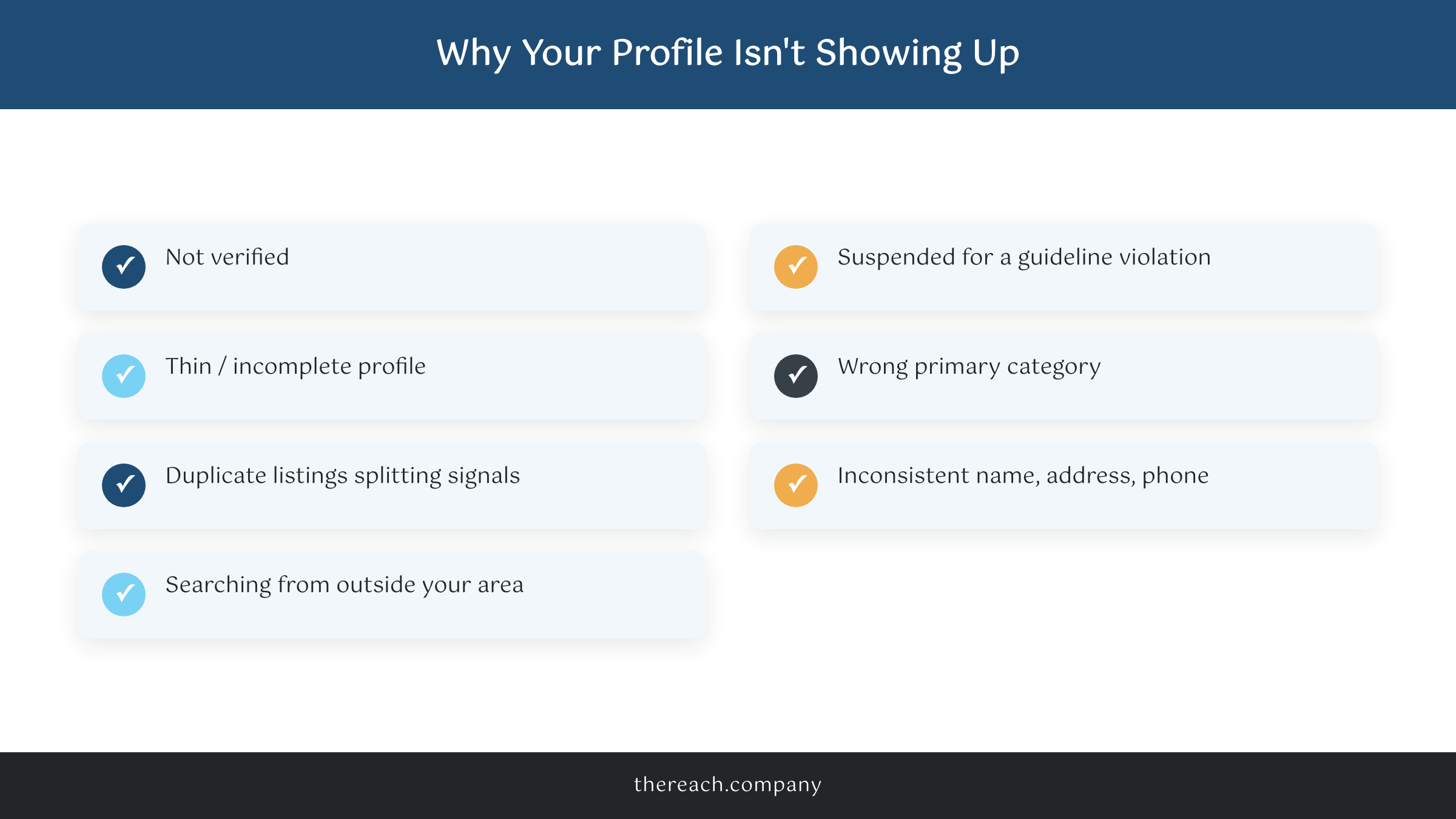
Run down that list honestly and you will usually find your culprit in the first three.
The Proximity Trap (Why You Vanish a Few Miles Away)
This one trips up the most owners. You stand in your shop, search your service, and you rank just fine. You drive across town, search again, and you are gone. Nothing broke. That is distance working exactly as Google designed it.
Google ranks for the searcher’s location, not yours. A plumber based downtown will struggle to show in a suburb 15 miles away, no matter how strong the profile is. You cannot rank everywhere at once, and burning energy chasing it is a waste. The fix is not to fight distance, it is to stack relevance and prominence so hard that you win every search inside your real service radius, then let service-area pages do the reaching. A roofer who owns his own city completely will out-earn one who ranks weakly across five.
What you can do is win your core area decisively, then expand outward with service-area pages on your website and steady local signals over time. If you want the full playbook for the map, here is how to get your business on Google Maps and stay there.
How to Fix It
Work the list in order, because the early fixes are the ones that actually flip the switch.
First, verify the profile if you have not. Nothing else matters until that is done. If it is suspended, read the guidelines, fix the violation honestly, and file for reinstatement.
Next, fill it out completely. Real business name with no keyword stuffing, exact hours, a real description, your full service list, and the correct primary category. Add fresh photos of real jobs, not stock images.
Then build prominence. Ask every happy customer for a Google review and reply to each one, good or bad. Make sure your name, address, and phone match everywhere online, from your website footer to old directory listings. Post to the profile regularly so it looks active instead of abandoned. Consistency is the quiet signal here: a profile that picks up a fresh job photo, a new review, and a short post every week tells Google you are a real, running business, and that steadily lifts your prominence over a month or two.
Finally, clean up duplicates. Search your business name and address; if a second profile exists, claim it or request its removal so your signals stop splitting.
None of this is fast magic, but it is reliable. A complete, verified, active profile climbs. We do exactly this for clients as part of the Local SEO we run for local service businesses, but every step above is something you can start yourself today.
What to Do This Week
Pick the three that apply to you and knock them out. Confirm the profile is verified. Set the correct primary category. Text your last ten customers for a Google review. That is it for week one, and it quietly covers verification, relevance, and prominence all at once.
Then check back in a couple of weeks. Rankings move slowly, so do not refresh it hourly and panic. If you have worked the whole list and still cannot figure out why is my Google Business Profile not showing up, there is usually a suspension or a duplicate listing hiding under the surface, and that is worth a closer look.
Get the profile right and the calls follow. The map pack is winnable, and it is exactly where your next customer is looking right now. You got this.

